Pro vs Max vs Ultra
Claude Pro vs Max vs Ultra for Business Owners: Which Plan Do You Need?
Spec tables won't tell you this. Here's what actually eats a Claude allowance when an owner runs Claude Code every day as an operator, and how to choose.

Contents
- What do Claude Pro, Max and Ultra cost?
- What is the difference between Max and Ultra?
- Does Claude Code use the same limits as the chat app?
- What actually burns the allowance when you run Claude Code daily?
- How do I make a Claude plan last?
- When does the API make sense instead of a subscription?
- Which Claude plan should a business owner choose?
- How do I know when to upgrade?
The short answer
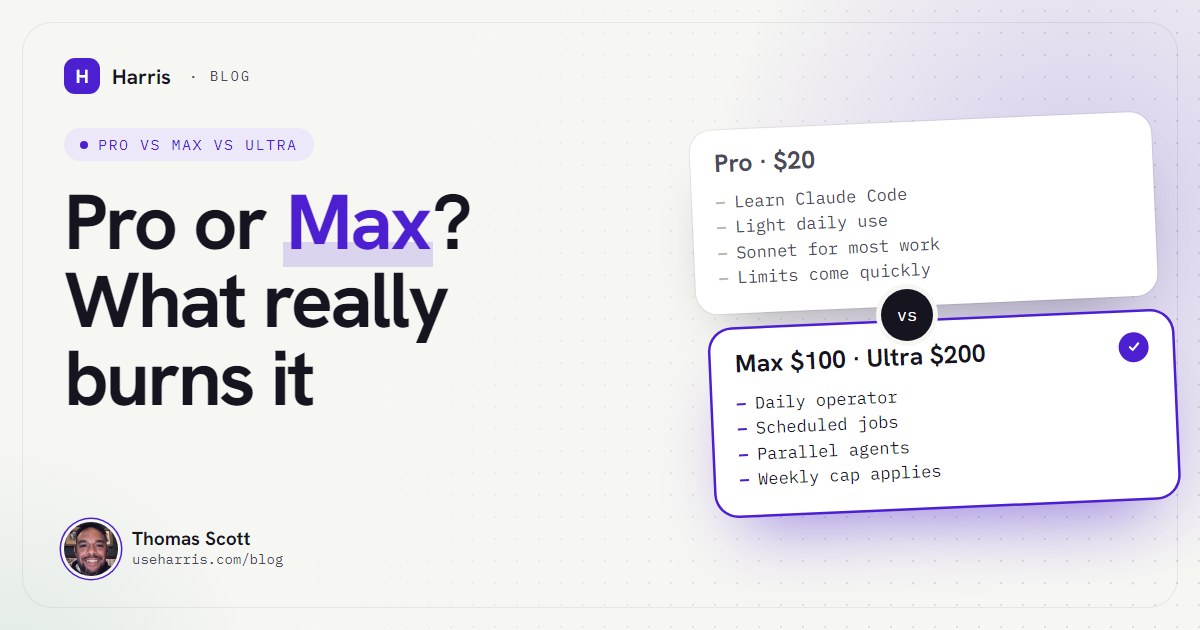
Pro ($20 a month) is enough to learn Claude Code and use it lightly each day. An owner running it as a daily operator, with memory loaded every session and scheduled jobs, usually needs Max ($100, five times Pro's usage) for one business, or Ultra ($200, ten times Pro's weekly usage) for several. Prices as of November 2026. Chat, Cowork and Claude Code share one allowance.
You're paying for Claude, or about to, and the question is simple: is £18 a month enough, or do you need to spend five or ten times that? Every comparison on the first page answers it with a spec table and the word "depends".
I can be more specific, because I've watched what actually burns the allowance. I'm Thomas Scott, and since 16 August 2026 I've run four small businesses from one Windows PC with Harris, an AI operator built on Claude Code and a vault of plain notes. It starts every session by reading the business, runs jobs on a schedule, and builds things. I ran it on the top plan, then called Max 20x, and in early October it still ran into the weekly limit.
If you're not yet sure what Claude Code does for a business, my guide to Claude Code for business owners is the place to start. This post is about paying for it.
What do Claude Pro, Max and Ultra cost?
Corrected 3 November 2026: Anthropic replaced the two Max sizes (5x and 20x) with Max and Ultra. The prices and limits below are as of November 2026.
US prices from Claude's pricing page, checked 3 November 2026. The UK prices are the ones the page showed a UK visitor in October, including 20% VAT; check yours at checkout.
| Pro | Max | Ultra | |
|---|---|---|---|
| Price (US) | $20 a month, or $17 a month billed annually | $100 a month | $200 a month |
| Price (UK, incl. VAT) | £18 a month, or £15 a month billed annually | From £90 a month | Shown at checkout |
| Usage | The baseline | 5x Pro | 10x Pro, counted weekly |
| Five-hour limit | Yes | Yes | None for verified accounts |
| Claude Code | Yes | Yes | Yes |
| Monthly API credits | None | $100 | $200 |
| When you hit a limit | Wait, upgrade, or pay for usage credits at API rates | Same | Same |
Three details in that table matter more than they look.
Only Pro shows an annual discount. Pro is cheaper if you commit for a year. Paying monthly on the bigger plans is also a mercy: you can drop back to Pro in a quiet month.
The API credits on Max and Ultra don't help with Claude Code. Max includes $100 a month and Ultra $200 a month of credits for building on Anthropic's developer platform. Anthropic's Claude Code plan article is explicit that those credits can't be used in Claude Code or the Claude apps, including for extra usage. They're useful if you also have a workflow tool calling the API. They don't stretch your Claude Code allowance by a minute.
Usage credits are a meter, not a safety net. Turn them on and you keep working past the limit, billed at standard API rates. That's fine for a deadline day. Leave it on with no monthly cap and a busy week can cost more than the next plan up.
What is the difference between Max and Ultra?
Mostly capacity, and how it's counted. Both include Claude Code, Opus and the rest of the Pro features. Max gives five times Pro's usage, inside the same five-hour windows. Ultra gives ten times Pro's usage counted over the week, and verified accounts have no five-hour limit at all.
Here is the part the spec tables skip. There's still a weekly limit, applied across all models, which resets at a fixed time assigned to your account. On Max, the five-hour window decides how hard you can work this afternoon and the weekly cap decides whether you can do that every afternoon. On Ultra the week is the only meter, so a huge Monday comes out of Friday. Anthropic publishes neither as a number of messages, because usage depends on context length, model, effort and tools.
My rule of thumb: Max for one business with Claude Code open most of the working day. Ultra when you're running several businesses through one operator, or regularly running several agents at once.
Does Claude Code use the same limits as the chat app?
Yes, and this catches people out. Anthropic says usage across claude.ai, Claude Code and the desktop app counts towards the same limits. Cowork runs inside the app, so it shares them too. A morning of long chats on your phone leaves less for the Claude Code session you start after lunch.
It also means comparing Cowork and Claude Code on cost is pointless: same plans, same pool. I compared them on what they're good at in Claude Cowork vs Claude Code.
What actually burns the allowance when you run Claude Code daily?
This is the section I'd have wanted before I started. None of these are exotic. They're what happens when Claude Code stops being a toy and starts running the business.
Voice line, bug notes, 4 Oct
Also seen: every voice-line start from 1–3 Oct
hit the Claude weekly limit (reset 21:00 3 Oct).
1. Long sessions. Claude Code sends your whole conversation with every request, and every tool call sends another request carrying the results. Anthropic's cost guide puts it bluntly: a one-line question in a session that has been open all day still draws usage for the whole conversation. A single all-day session is the most expensive way to work.
2. Coming back after a break. The conversation is cached, and on a subscription the cache lasts an hour. Your first message after lunch misses the cache and reprocesses everything. Go out for two hours with a huge session open, come back and type "carry on", and that one message is a large bill.
3. Your memory, loaded every time. Harris reads its boot file, the vault index and yesterday's daily note at the start of every session. That's the point of it, and it's also a fixed cost per session. Anthropic suggests keeping CLAUDE.md under 200 lines and moving specialised instructions into skills, which load only when needed.
4. Scheduled jobs. A scheduled task fires on its interval even while you're idle, and sends your full context each time. Cloud routines draw from the subscription exactly as an interactive session does. Between 26 September and 3 October, five of ten runs of one of my scheduled routines died instantly because the account had hit its weekly limit. The routine was fine. The allowance wasn't.
5. Parallel agents. This is the big one. When Harris builds something serious, it splits the work across several agents at once: I've had four Opus workers each building a section of the same video in one wave. Each agent carries its own context. Anthropic's own figure for its agent teams feature is roughly seven times the tokens of a standard session when teammates run in plan mode. It's the fastest way to get work done and the fastest way to the weekly cap.
6. The model and effort you leave switched on. Opus is more capable and draws more than Sonnet. Extended thinking is billed like output and is always on for the newest models. Leave Opus at high effort for routine admin and you're paying senior rates for filing.
How do I make a Claude plan last?
Habits that made the biggest difference for me, cheapest first:
- Clear between unrelated jobs. Start a fresh session (
/clear) when you switch from quotes to content. Stale context costs on every message. Rename the session first so you can find it again. - Check what's eating it. Run
/usagein Claude Code. On Pro and Max it shows plan bars and a breakdown by skill, subagent and connector, and flags behaviours like long context or cache misses. - Match the model to the job. Sonnet for admin, drafting and routine checks. Opus for planning, review and anything where a wrong answer is expensive.
- Keep the boot file lean. If CLAUDE.md has grown past a couple of hundred lines, move whole procedures into skills or linked notes the agent reads only when needed.
- Schedule less often. A check that runs hourly but only matters daily is 23 wasted runs. Better still, have the schedule run a plain script and only wake Claude when something changed.
- Write long prompts to a file. On Windows, pasting long prompts into the terminal can silently truncate them, which wastes a whole turn. I write anything longer than a few lines to a file and tell Harris to read it.
When does the API make sense instead of a subscription?
The API is pay per token, with no five-hour window and no weekly cap, just a bill. At the time of writing, Anthropic's pricing lists Claude Sonnet 5.5 at $2 per million input tokens and $10 per million output tokens, and Claude Opus 5.5 at $4 and $20. The Batch API halves those for work that can wait.
Use the API when…
- A workflow tool or script calls Claude without you there
- Each call is small and predictable: classify, extract, draft one email
- You want a hard spend cap per job
- The work can wait for batch pricing
Use a subscription when…
- You work in Claude Code most days
- Sessions are long and carry your business memory
- You run agents in parallel to build things
- You'd rather have a predictable monthly cost
For a person working in Claude Code, the subscription almost always wins. Anthropic's own figure across enterprise deployments, at API rates, is around $13 per developer per active day, or $150 to $250 a month. An owner running an operator all day is unlikely to sit at the light end of that, so a flat $100 (Max) or $200 (Ultra) is usually the better deal.
Where the API earns its place is the automation that doesn't need a session at all. If you have a workflow tool drafting replies or sorting leads, give it an API key with a monthly limit and keep it off your subscription. If you're on Max or Ultra, the included API credits may cover it.
One warning: if a key is set in your environment as ANTHROPIC_API_KEY, Claude Code will offer to use it and bill the API instead of your plan. Run /status to check which one you're on.
Which Claude plan should a business owner choose?
You're trying Claude Code for the first time. Pro. Learn it on your own business for a month. Use Sonnet, keep sessions short, and notice where you hit the limit. If you hit it daily, you've learned something useful.
You run one business and Claude Code is open most of the day. Max. It's where Pro's limits stop being a lesson and start being a tax on your time.
You run several businesses through one operator, or build with parallel agents. Ultra. Even then, plan around the weekly cap: keep the heavy builds for early in your week, and keep usage credits on with a monthly limit for deadline days.
Your Claude use is mostly automations calling Claude in the background. A modest plan for yourself plus API billing for the automations, with spend caps on the key.
You have staff who need their own Claude. Look at Team instead. Seats are per person, and Anthropic's pricing lists Standard and Premium seats with admin controls the individual plans don't have.
Whichever you pick, Harris doesn't change the arithmetic: you pay Anthropic for your own plan, and there's no per-seat fee from us on top. If you're on Windows and want it running on your plan with the habits above already built in, start with a call.
How do I know when to upgrade?
Run /usage at the end of each day for a week. If the weekly bar is past half by Wednesday, you'll hit the cap before the week ends, so upgrade or change the habits above. If you never pass a third, drop a tier and keep the difference.
And before you upgrade, check the setup rather than the plan. Most of my early overspend came from one all-day session and an over-long boot file, not from doing too much work. If you haven't installed Claude Code yet, my Windows setup guide for non-developers gets you running on Pro first, which is the cheapest way to find out what you actually need.
Questions people ask
Is Claude Max worth it for a business owner?
It is if Claude Code is doing real work every day: loading your business memory each session, running scheduled jobs and building things. If you use Claude for a few chats and the odd task, Pro is enough and Max is money spent on headroom you won't use.
What is the difference between Claude Max and Ultra?
As of November 2026, Max costs $100 a month and gives five times Pro's usage. Ultra costs $200 a month and gives ten times Pro's usage, counted weekly, with no five-hour limit for verified accounts. Max includes $100 a month of API credits and Ultra $200. The old Max 20x plan no longer exists.
Does Claude Code use the same limits as the chat app?
Yes. Anthropic says usage across claude.ai, the desktop app, Cowork and Claude Code counts towards the same limits, so a long chat in the morning leaves less for Claude Code in the afternoon.
When should I use the API instead of a subscription?
Use the API for automations that run outside Claude Code, such as a workflow tool calling Claude to draft or classify, where you pay per use and can cap spend. For a person working in Claude Code every day, a subscription is usually far cheaper than paying API rates for the same work.