Recruiters
Claude for Recruiters: Run a Small Agency's Admin With AI
Prompt lists help you write one message. A small desk needs something that remembers every candidate, every client and every follow-up, and knows the rules on candidate data.

Contents
- How can recruiters use Claude beyond prompt lists?
- How does Claude remember candidates and clients?
- Can Claude track follow-ups and spot who went quiet?
- Can Claude build shortlists?
- Can you put candidate data into Claude under UK GDPR?
- What are Claude skills for recruiters, and do you need them?
- Claude, ChatGPT or an operator for a small agency?
The short answer
Recruiters get most from Claude when it remembers the desk, not when it writes one-off messages. Keep a plain note per candidate, client and role with the last contact date. Claude reads them each morning, lists overdue follow-ups and who went quiet, drafts the chasers and suggests shortlists for you to check. You decide and send.
"As I said last time." You did speak to them. The notes are split between a call log, a text thread and your head, and the client who said "Thursday" might have meant next Thursday. Two follow-ups or three? You'd have to scroll to find out.
Most of what's written about Claude for recruiters is prompt lists: write a job advert, rewrite this InMail, summarise this CV. They're fine. They also start from nothing every time, which is the opposite of what a recruitment desk needs. Your edge is what you remember about people.
I'm Thomas Scott. I'm not a recruiter, but my businesses run on follow-ups too, and since 16 August 2026 they've been run with Harris, my AI operator: Claude Code (Anthropic's AI agent that works on files on your computer, not just in a chat window) plus a folder of plain notes it reads every session. How that works for any owner is in Claude Code for business owners. Here's how it maps onto a small agency's desk, including the candidate data rules you need to get right first.
How can recruiters use Claude beyond prompt lists?
A prompt list makes one message better. It doesn't know that the candidate you're about to call turned down a hybrid role in March because of the commute, or that the hiring manager went cold the last time you sent three CVs at once.
That knowledge is the job. So the useful question isn't "what should I type into Claude", it's "what should Claude already know before I type anything". In my setup the answer is a vault: a folder of notes with a map at the top, which the agent reads at the start of every session, and a set of rules it follows on every task. Ask it to draft a chase and it has already read the note on that person.
For a desk, four jobs come out of that, the same four on the recruitment agencies page:
- Candidate and client notes read before every conversation.
- Follow-up chasing, with the overdue list worked out for you.
- Shortlists drafted from what you already know, including last time's runners-up.
- The Monday desk list: every live role, every candidate in play, and what's overdue on each.
How does Claude remember candidates and clients?
One plain note per candidate, per client and per role. Not a database, not a new system to log into: text files in folders, which you can open and correct yourself. The agent reads the role note and the candidate notes it links to before it touches anything about that role.
## Wants
Hybrid, max 3 days in. Notice: 1 month.
## Won't accept
Over 50 min commute. Turned down March role for this.
## Last contact
Call, 3 Nov. Interviewed at client B, 30 Oct.
Owed: interview feedback. Chase every 3 days.
Inbox checked 5 Nov 09:20: no feedback from client B
## Consent and retention
Privacy notice sent 14 Feb. Review record: Feb 2027.
Two things about that note matter more than the layout.
The last section is there on purpose. Candidate notes are personal data, and the ICO's audit of AI recruitment tools found some kept candidate information indefinitely to build large databases of potential candidates, which it flagged as a problem (ICO: AI in recruitment). A note with a review date lets the agent tell you when a record is due a decision, instead of the folder quietly growing forever.
And the dimmed line says when the status was last checked, and where. My agent runs on a rule I call "evidence only": it may not tell me something is current or done without checking the real source first. That came from early on, when yesterday's notes were trusted, and were wrong. On a desk, "feedback chased" written from memory is how a candidate waits a fortnight.
Can Claude track follow-ups and spot who went quiet?
Yes, and this is where it earns its keep, because the arithmetic is simple and nobody has time to do it.
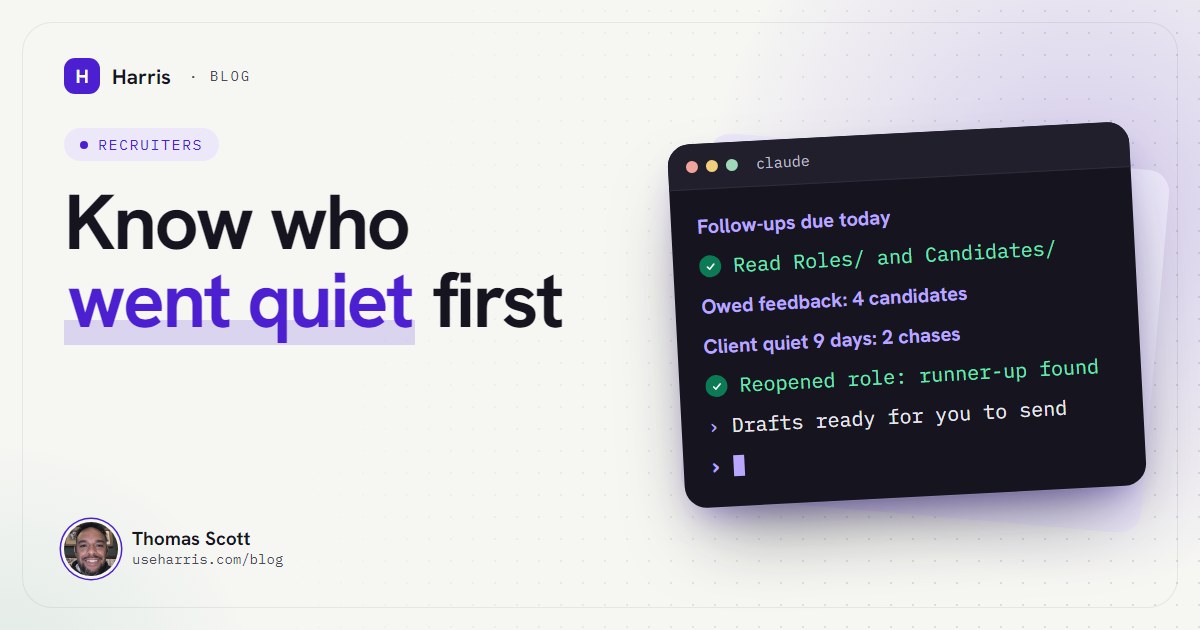
My console works out every follow-up's due date from two things: when the last contact was, and how often that kind of contact should be chased. Every session starts by checking the overdue list. Nothing clever, just done every single morning without fail, which is the part people can't manage by hand.
Three lessons from running this for my own work, all of which apply to a desk:
Watch the whole mailbox, not the thread. My inbox watch once reported "all quiet" four times in a row while five messages sat unread, because it was watching one email thread rather than everything from that sender. Hiring managers reply from their phone, forward to a colleague, start a new thread. Search by person, not by conversation.
Sometimes the silence is yours. I once spent days waiting on a sign-off, then found the document had never been sent. Before the agent marks anyone as "gone quiet", it should check that the last message was actually delivered and actually asked them something. A surprising number of quiet clients are waiting on you.
Drafts, not sends. My boot file says anything with real-world effect (an email sent, a message posted) is stated in plain language and waits for an explicit yes. The agent writes the chase; you send it. On a recruitment desk, where tone with a candidate is half the job, that's the right split anyway.
If you want the general version of this morning routine, I've written it up in turning Claude Code into an executive assistant.
Can Claude build shortlists?
It can draft one, and it should stop there.
When a role reopens, the agent can read the old role note, find who was interviewed, who came second and what the hiring manager said about them, and put that in front of you with the reasons. That's genuinely useful: a reopened role starts from what you already know instead of a fresh search.
What it shouldn't do is decide. The ICO says the Data (Use and Access) Act 2025 makes it more straightforward to use automated decisions, and its advice for hiring is to test for biased outputs, tell candidates when automated decisions are used, and let them ask for a human review (ICO: automated decisions in hiring). The simplest way to stay on the right side of that on a small desk is the way the recruiters page puts it: shortlists "for you to check and send". A person reads every name, and the reasons, before a client sees anything.
Can you put candidate data into Claude under UK GDPR?
This is the question to answer before you load a single CV, and I'm not going to answer it for you as fact. Here's what to look at.
The ICO has six questions for recruiters bringing in AI tools (ICO: AI in recruitment):
- Have you completed a data protection impact assessment (DPIA)?
- What is your lawful basis for processing the personal information?
- Have you documented responsibilities and set clear processing instructions?
- Have you checked the provider has mitigated bias?
- Is the tool being used transparently, so candidates know?
- How will you limit unnecessary processing?
Two facts about Claude feed straight into those answers. First, the plan you sign into changes the terms. Anthropic's Free, Pro and Max plans sit under its consumer terms, with a setting for whether chats can be used to improve Claude (five-year retention if you allow it, 30 days if not) (Anthropic: consumer terms). Team and Enterprise plans run under the Commercial Terms, where Anthropic acts as your processor (Claude help: processor or controller). Second, "it's all on my PC" is only half true. With an operator like Harris, the notes and keys stay on your machine, but whatever the agent reads to do a task is sent to Anthropic to be processed, as when you use Claude yourself.
The ICO's recruitment and selection guidance is still listed as draft (ICO: employment), and its wider AI guidance is under review after the Data (Use and Access) Act, so check the current versions before you decide.
Watch outThis is not legal advice. Work through the ICO's questions, record your decision, and update your candidate privacy notice before candidate data goes into any AI tool.
My practical advice: start with the job that needs the least personal data. A follow-up tracker needs a name, a date and a cadence. It doesn't need a CV.
What are Claude skills for recruiters, and do you need them?
A skill, in Anthropic's terms, is a folder of instructions (and sometimes scripts or templates) that Claude loads when a task matches its description (Claude: skills overview). For a desk, that might be "write a candidate summary in our house format" or "turn interview notes into client feedback in our tone".
They're worth having for anything you do the same way every week. Two cautions. Anthropic says skills someone shares with you, or that you upload, aren't reviewed by Anthropic, so read the files before you turn one on, especially one that touches candidate data. And a skill is a procedure, not a memory: it tells Claude how to write the summary, not what the candidate said on Tuesday. The memory is the bigger gap, and it's the one prompt lists and skill packs don't fill.
There's also a harder question about who sets this up. Most AI rollouts that cause more stress than they remove were built by someone who didn't know the business. I talk about that here:
Claude, ChatGPT or an operator for a small agency?
For drafting adverts and messages, use whichever chat tool you already pay for; the gap between them is small. If you want ready-made business workflows, Anthropic's bundle is reviewed for UK firms in Claude for Small Business in the UK. If your problem is the desk itself (who's owed a call, who went quiet, who came second last spring), that's memory plus a morning routine, and it's what I set Harris up to do. Accountancy practices have the same problem with different deadlines, which I've covered in Claude for UK accountants.
Questions people ask
How can recruiters use Claude?
Beyond writing adverts and messages, the bigger win is memory: notes on every candidate, client and role that Claude reads before each task, so it can list overdue follow-ups, draft chasers and pull together a shortlist for you to check. You keep the decisions and send everything yourself.
What are Claude skills for recruiters?
A skill is a folder of instructions Claude loads when a task matches, such as writing candidate summaries in your house format. They're useful for repeated tasks, but Anthropic doesn't review skills that are shared or uploaded, so read one before you turn it on.
Can Claude track candidates and follow-ups?
Yes, if you give it somewhere to keep them. With a note per candidate and client that records the last contact and how often to chase, it can work out what's due each day and flag anyone who's gone quiet.
Is Claude better than ChatGPT for recruiting?
For drafting single messages they're close. The difference that matters for a desk is whether the tool can work from your own records every day, follow your rules and keep candidate data the way you've decided, and that comes down to setup more than which model you pick.