Second brain
Obsidian + Claude Code: Build a Second Brain for Your Business
The exact vault layout my AI operator has read every morning since August, the rules that stop it rotting, and what broke before each rule existed.

Contents
- What is an Obsidian second brain for a business?
- How do I set up Claude Code with an Obsidian vault?
- What should a business vault's folder structure look like?
- Why does every folder need an index note?
- How do daily notes work when Claude Code writes them?
- What happens when two Claude sessions edit the same note?
- Which rules stop the vault rotting?
- What can't an Obsidian vault do for Claude Code?
- Where to start this week
The short answer
Make an Obsidian vault (a plain folder of Markdown notes), put a CLAUDE.md file in the folder above it and run Claude Code from there. No plugin is needed: Claude reads and writes the notes as files. What makes it work for a business is structure: numbered folders, an index note in each, a map file, and append-only daily notes.
Most guides to Obsidian and Claude Code are about someone's reading notes: book highlights, journal templates, a graph view that looks good in a screenshot. No use when you're running a business and you need the AI to know which quote is overdue, what a client agreed last Tuesday and which of four ventures comes first this week.
I've run my businesses through an AI operator called Harris since 16 August 2026. Harris is Claude Code plus a vault of plain notes, on one Windows PC. The vault is its memory: it reads the map every morning, works from the notes and writes back what it did. This post is that vault's structure and the rules that keep it true. It's part of a longer guide on Claude Code for business owners; start there if you're still deciding whether Claude Code is for you.
Claude Code starts every session blank. The background, and Anthropic's own memory options, are in how to give Claude persistent memory. Here, the vault is the memory, and the rules decide whether it stays useful or rots.
What is an Obsidian second brain for a business?
An Obsidian vault is a folder. Obsidian's own documentation says it plainly: "A vault is a folder on your local file system, including any subfolders," and notes are "Markdown-formatted plain text files" (Obsidian help: how Obsidian stores data). That's the whole reason this works. Claude Code reads and writes files. Obsidian reads and writes the same files. Neither needs to know the other exists.
So the "second brain" isn't a product. It's three things:
- A boot file (
CLAUDE.md) that Claude Code loads automatically at the start of every session: who the agent is, where the memory lives, the rules. - A map (
VAULT-INDEX.md) that says what's in every folder, read second. - The notes themselves, organised so the agent can find the one it needs in two or three steps without reading everything.
Obsidian is the window you use to read and edit the same notes. It's free, including for work: Obsidian dropped the commercial licence requirement in February 2025 (Obsidian blog). You could do all of this in Notepad. You'd just hate it.
How do I set up Claude Code with an Obsidian vault?
There is no connection step. Half the guides ranking for this start by installing an MCP server (a plug-in that lets Claude talk to another app). For a vault of Markdown files you don't need one.
- Install Claude Code. On Windows, that's one line in PowerShell; my Claude Code Windows setup guide walks through it, including the errors non-developers hit.
- Make two folders, one inside the other. An outer workshop folder (mine holds the boot file, Claude's settings and long briefs) and the vault inside it.
- Open the inner folder as a vault in Obsidian. Obsidian, "Open folder as vault", pick it.
- Write
CLAUDE.mdin the outer folder. Identity, startup sequence, rules. There's a full copyable version in my CLAUDE.md template for business owners. - Start Claude Code from the outer folder. Open a terminal there and type
claude. Claude Code loads theCLAUDE.mdin the folder you start from automatically.
Why the boot file sits one level above the vault: it keeps the rules out of the notes they govern. The vault stays pure notes. The workshop around it holds the machinery: the .claude settings folder, the boot file, and long instructions written as files rather than pasted into the terminal. One git repository (a version history for files) covers both, which matters later.
NoteClaude Code loads CLAUDE.md files from the folder you start in and every folder above it (Anthropic: how Claude remembers your project). So the boot file would still load if you started inside the vault. I start from the outer folder anyway, because that's where the session's settings live and where the briefs are.
What should a business vault's folder structure look like?
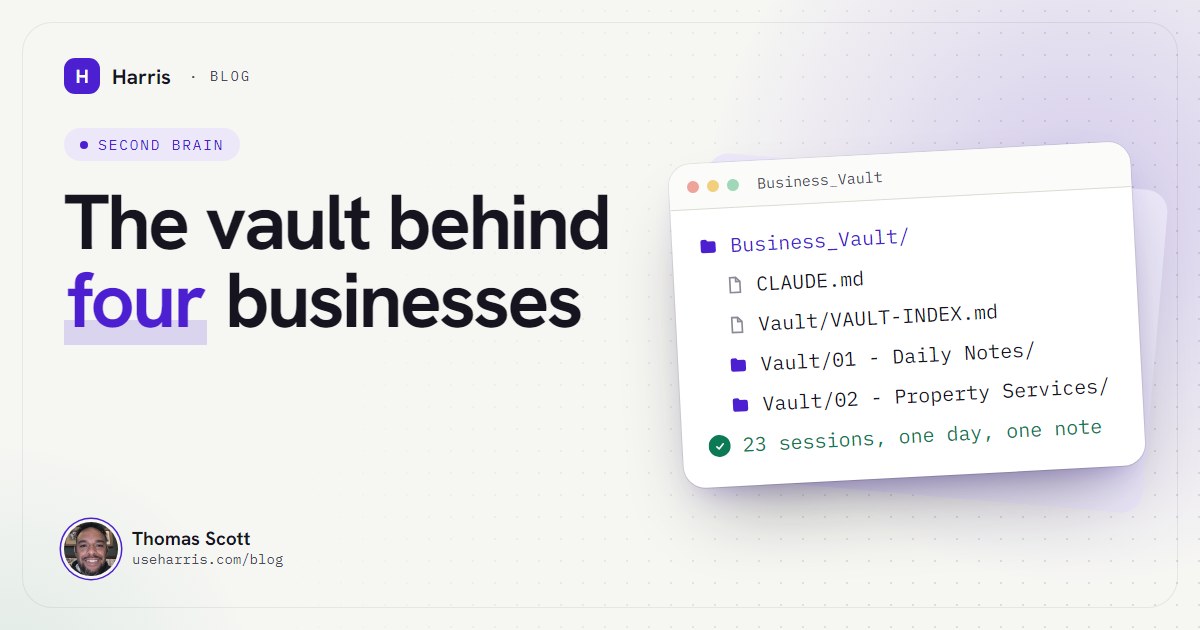
Here's mine, with the business names swapped for what each one does. Four small businesses, an operations folder for the AI's own tooling, and a folder of skills (reusable instructions for specific jobs).
Business_Vault/
├── CLAUDE.md                  ← boot file, loaded every session
├── .claude/                   ← Claude Code settings and skills
├── build-voice-line.md        ← a long brief, written as a file
└── Vault/                     ← the Obsidian vault
    ├── VAULT-INDEX.md         ← the map, read second
    ├── Active Priorities.md   ← what's open, in order
    ├── Skills Library.md
    ├── 01 - Daily Notes/
    │   ├── Daily Note Template.md
    │   ├── 08 - August 2026/
    │   ├── 09 - September 2026/
    │   └── 10 - October 2026/
    │       └── 2026-10-19.md
    ├── 02 - Training Company/
    │   └── 02 - Training Company.md   ← index
    ├── 03 - Property Services/
    │   ├── 03 - Property Services.md
    │   └── quote PDFs
    ├── 04 - Content Brand/
    ├── 05 - Automation Service/
    ├── 07 - Ops Tooling/
    └── 08 - Skills/
The choices that matter:
Numbered folders. 01 to 08 sort the same way in Obsidian, File Explorer and every listing Claude Code runs. Daily notes come first, because the agent checks yesterday's note at every start.
One index per folder, named after the folder. 03 - Property Services/03 - Property Services.md is the entry point for that business: current state, open jobs, links to every other note. The agent never guesses which note to open first. An AI follows a rule it can apply mechanically far better than one it has to interpret.
Daily notes by month. 01 - Daily Notes/10 - October 2026/2026-10-19.md. A flat folder of 47 daily notes is already painful to scan; monthly subfolders keep each listing short.
Root files only for things every session needs. The map, the priorities list and the skills library. Everything else lives in a folder.
Frontmatter on every note. A few lines of YAML (labelled fields) at the top: status (active, completed, parked, idea, archived), project (which business it serves) and type (index, reference, guide, plan or log). It costs nothing to write and it lets the agent filter: every active plan for one business, every log from last week.
Why does every folder need an index note?
Because the agent's memory isn't what it holds. It's what it can find.
Mine passed 120 notes in nine weeks. Reading them all every session would burn the agent's working memory (the context window, the amount of text it can hold at once) on notes that have nothing to do with the job. So the vault is built for loading on demand: boot file, then map, then folder index, then the note.
The catch is that an index is a contract. A note missing from its index is invisible to the next session. A map that still describes what a project was starts the day wrong without anyone knowing. So any note created, renamed, moved or materially changed updates its folder index in the same pass, and the map gets checked every time.
How do daily notes work when Claude Code writes them?
Every day gets one note. Every working session that day adds a block to it. The top of the note carries a short index, one line per session, so a busy day stays readable. Busy is not an exaggeration: my note for 16 October has 23 session blocks.
Each block has the same headings, because the same headings are what let the next session scan it in seconds:
## Session 4Focus: chase the overdue roof quote, prep Thursday's call Front: Property Services
What happened
✓ Quote PDF found in 03 - Property Services, sent 2 days ago ✓ No reply in the inbox since; follow-up drafted, not sent ✓ Call brief written to the client note
Decisions locked
Follow-up goes Wednesday 09:00, not today
Checkpointed elsewhere
03 - Property Services.md (quotes log), Active Priorities.md
Open loop for next session
Send the follow-up once Thomas approves the wording
Two headings do most of the work. What happened is evidence, not intent: what was checked, built, sent or fixed. Checkpointed elsewhere exists because a line in a daily note is never the documentation. If something changed, the business's own note changes too, and this heading says where.
The daily note is the one place in the vault where nothing is ever cleaned up. Other notes get consolidated ruthlessly. Daily notes are a log, and a log you edit isn't a log.
What happens when two Claude sessions edit the same note?
This is the rule most setups don't have, and the one I learned the hard way.
I often run several Claude Code sessions at once: one building, one watching the inbox, one researching. On 20 August one session's edits to that day's note were overwritten by another. Not appended to. Replaced. The second session had written the whole file back from its own stale copy.
The rule that came out of it, now in the boot file's "rules that can't lapse":
- Re-read a note immediately before editing it. If it changed since you last read it, read it again in full first.
- Append a new
## Session Nblock. Never regenerate the whole file. - If you find another session overwrote instead of appending, don't overwrite it back. Flag it and add a dated correction.
A subtler version: appending blindly to the end of the file puts your lines under whichever session heading is last, which may be someone else's. So check the last block is yours in the same step as the write, and open a new one if it isn't.
Watch outA rule only lowers the odds. Nothing forces another session to follow it. The backstop is version history: the same day, the whole workshop folder went under its own git repository, so an overwrite is a change you can see and undo rather than a permanent loss. Add an off-machine backup too; mine is encrypted and runs every evening.
Which rules stop the vault rotting?
A vault doesn't fail loudly. It drifts. Then a session reads it and briefs you, confidently, on how things were last month.
These are the rules that keep mine true. Most are in the boot file because something went wrong without them:
| Rule | Why it's there |
|---|---|
| Checkpoint persistence: anything a future session needs gets written to its proper note, not just the daily note | Work happened in a session and never reached the vault. Twice, a later session had to reconstruct it from other records |
Keep the map true: update the folder index and VAULT-INDEX.md in the same pass |
A map line that still describes what a project was reads as current to every session that trusts it |
| One source of truth: update an existing note before creating a new one, delete what you replaced | Two copies of a fact drift apart, and the agent can't tell which one is current |
| Evidence only: say what a claim was verified against | A note recorded something as "confirmed working" from a check that didn't test the thing that mattered. It was wrong within 24 hours |
| Re-read the map after a context compaction | When a long session is compressed to free up room, notes read earlier can be summarised away. The boot file is reloaded from disk after compaction (Anthropic docs); the map isn't |
| Rename notes inside Obsidian | Obsidian updates the links when you rename a note in the app. A rename from a script doesn't, and every [[link]] to it breaks |
None of this is clever. It's the discipline a good operations manager applies to a shared drive, written where the AI is guaranteed to read it: the boot file.
What can't an Obsidian vault do for Claude Code?
Honest limits, because you'll hit them:
- It doesn't fill itself. A phone call you take or a quote you send from your phone doesn't exist until someone tells the vault. Harris writes most of my notes, but the raw material comes from me.
- It isn't searchable by meaning out of the box. Claude Code finds notes by name, folder and text search. A badly named note missing from its index is effectively lost.
- It's plain text on your PC. That's the point, and the responsibility. Write where a key is stored, never the key, and don't run it on a shared Windows account.
- It doesn't replace your tools. Your inbox, calendar and accounts stay where they are. The vault is where the agent remembers what it learned from them. The morning loop that reads those tools and reports back is a separate piece, covered in running Claude Code as a personal assistant.
Where to start this week
Don't build it all on day one. Make the two folders, a short CLAUDE.md with the startup sequence and the append-only rule, VAULT-INDEX.md, Active Priorities.md, a daily notes folder, and one folder (with its index) for the business that matters most. Work in it for a week and let the agent write the daily notes.
Add a folder when a second business needs one, and a rule when something breaks. That's how mine grew. Every rule in it is a scar.
Questions people ask
How do I connect Claude Code to my Obsidian vault?
You don't need a connector. An Obsidian vault is a normal folder of Markdown files, so you start Claude Code in that folder (or the one above it) and it reads and edits the notes directly. Obsidian picks up the changes on its own.
Do I need an Obsidian plugin or MCP server for Claude Code?
No. Plugins and MCP servers exist, but Claude Code already has file tools that read, search and edit notes. Add a plugin only if you want something files can't give you, such as querying Obsidian's own search from another app.
How should I structure an Obsidian vault for a business?
Number the top-level folders so they sort in a fixed order, give each business or area its own folder with an index note named after the folder, keep one root map file, and file daily notes in monthly subfolders. Keep one note per fact and link to it rather than copying it.
Can I use Obsidian with Claude Code on Windows?
Yes. I run both on a Windows 10 PC every day. Install Claude Code natively from PowerShell, keep the vault on a local drive, and start Claude Code from the folder that holds your CLAUDE.md.
Does my vault need to be stored locally?
Obsidian treats a vault as a folder on your own file system, and Claude Code works on local files, so yes, keep the working copy on the PC. Back it up somewhere else; I run an encrypted daily backup off the machine.