Memory
Why Claude and ChatGPT Forget Everything (and the Fix)
It isn't a bug and it isn't you. Chat assistants are built to forget, in three different ways. Once you know which one bit you, the fix is straightforward.

Contents
- Why does Claude forget what I told it earlier in the chat?
- Why does it forget everything in a new chat?
- What does "ChatGPT memory full" mean?
- Does Claude have memory like ChatGPT?
- Is there an AI assistant that remembers everything?
- How do I stop Claude forgetting my business?
- What changed when I stopped relying on the chat
The short answer
Claude and ChatGPT forget because each conversation has a limited working memory that gets summarised as it fills, a new chat starts empty, and their built-in memory keeps only a short, model-chosen summary of you. The fix is to keep your business in files the AI reads at the start of every session.
You gave it the whole brief. Two hours later it's asking about something you covered in the first ten minutes. Or you open a new chat and it's never heard of your biggest client. Or ChatGPT tells you its memory is full, as if you'd overloaded a filing cabinet you never knew you had.
This is the most common complaint I hear from owners who've tried AI properly, and it's the one that made me rebuild how I use it. I'm Thomas Scott. I run four small businesses with Harris, an AI operator built on Claude Code and a folder of plain notes, and the reason it works is that it doesn't rely on the AI remembering anything. If you want the wider picture first, the full guide is Claude Code for business owners.
There are three different kinds of forgetting going on, and they need different fixes.
Why does Claude forget what I told it earlier in the chat?
Every conversation runs inside a context window: the AI's working memory for that chat. Everything counts against it: your messages, its replies, any files or pasted text, its instructions. It's large, but it's finite, and a long working session fills it.
When it fills, something has to give. Anthropic's documentation for Claude Code describes exactly what happens: it clears older tool outputs first, then summarises the conversation, and "detailed instructions from early in the conversation may be lost" (How Claude Code works). That's called compaction. The chat carries on, but what it knows about your first message is now a summary of it.
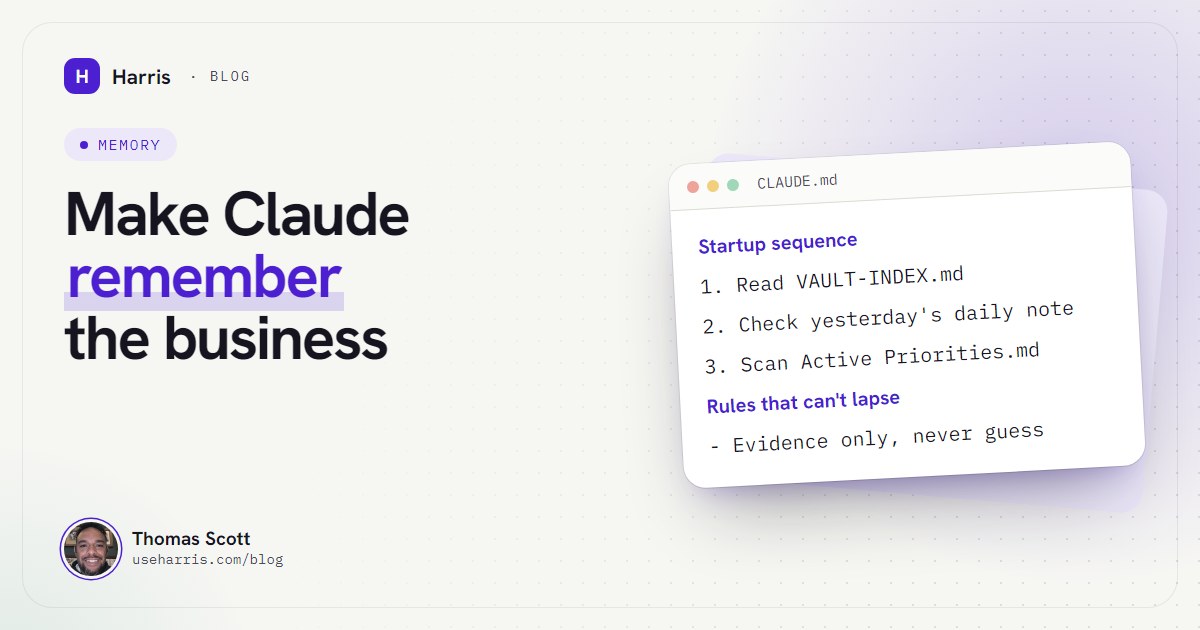
The practical consequence: anything that must hold for the whole session shouldn't live in a chat message. Claude Code has a place for it, the CLAUDE.md file, which loads at the start and, for the main project file, is re-read from disk after compaction (memory docs). My boot file carries one extra instruction because of this: after any compaction, re-read the vault map, since the map isn't protected the way the boot file is.
If you use Claude Code, two commands help. /context shows what's filling the window right now, so you can see when a session is getting heavy. And you can run /compact yourself with a focus, such as /compact keep the pricing decisions, so the summary keeps what matters to you rather than what the model guesses matters (How Claude Code works). I'd rather end a long session deliberately, with the decisions written into the right note, than let it compact three times and hope.
The cheap fix in any chat app: when a session gets long, ask for a written summary of decisions so far, save it somewhere you own, and start a fresh chat with it. Short, focused sessions forget less.
Why does it forget everything in a new chat?
Because a new chat is a new context window, and it starts empty. Claude Code's documentation puts it in one line: "Each new session starts with a fresh context window, without the conversation history from previous sessions."
The chat apps soften this with a memory feature, but it's worth understanding what that feature is. It isn't a transcript of everything you've said. It's a set of notes the model chose to keep about you. In the Claude apps, memory saves "a set of individual topics as you chat", and you can view and edit them under Settings, Memory (Claude Help Centre). ChatGPT's newer memory "continually updates a broader summary of relevant context" (OpenAI Memory FAQ).
Both are good at preferences: your tone, your role, that you're in the UK. Neither is built to hold a business: forty clients, which quote went out when, what you decided last Thursday and why. The model decides what's worth keeping, in its own words, and the summary drifts as it's rewritten. That's the second kind of forgetting: not losing things, but keeping a paraphrase.
What does "ChatGPT memory full" mean?
ChatGPT's saved memories have a finite capacity. When they reach it, your account is in what OpenAI calls the "memory full" state, and the fix has always been to clear room. You manage them under Settings, Personalization, Memory, where you can review and delete individual memories (OpenAI Memory FAQ).
OpenAI changed this on 15 October 2025: ChatGPT "now manages saved memories automatically by keeping the most relevant details prioritized and moving less important ones to the background", which it says helps avoid the "memory full" state (ChatGPT release notes). Depending on your plan and country, the controls you see may differ, so check your own settings.
What to do if you hit it:
- Delete the trivia. Old one-off facts take the same room as important ones.
- Move business facts out. Clients, pricing, processes and decisions don't belong in a model's personal memory of you. Put them in documents you control.
- Don't treat "full" as the problem. The real problem is that the memory was being used as the business's filing system. Auto-management makes the warning rarer; it doesn't make that a good idea, because now the model chooses what fades.
Does Claude have memory like ChatGPT?
Yes. At the time of writing (October 2026), memory is on by default in the Claude apps on the Free, Pro and Max plans; on Team and Enterprise, the account owner decides. Each Claude project keeps its own memory, separate from your other projects, and incognito chats aren't saved to memory at all (Claude Help Centre).
Claude Code, the agent that runs on your own PC, works differently, and that difference is the fix. It has no hidden memory. It has files: the CLAUDE.md you write, and an auto memory folder of plain notes Claude writes for itself, with an index that loads at the start of every session. You can open every one of them in a text editor.
If you're comparing the two providers on this specifically, I've done that in Claude vs ChatGPT for small business.
Is there an AI assistant that remembers everything?
No. And the honest answer is that you don't want one.
Think about the best assistant you've ever worked with. They didn't remember everything you ever said. They kept good files, read them before a meeting, and wrote down what changed afterwards. When they weren't sure, they checked instead of guessing. That's not a memory feature. It's a habit.
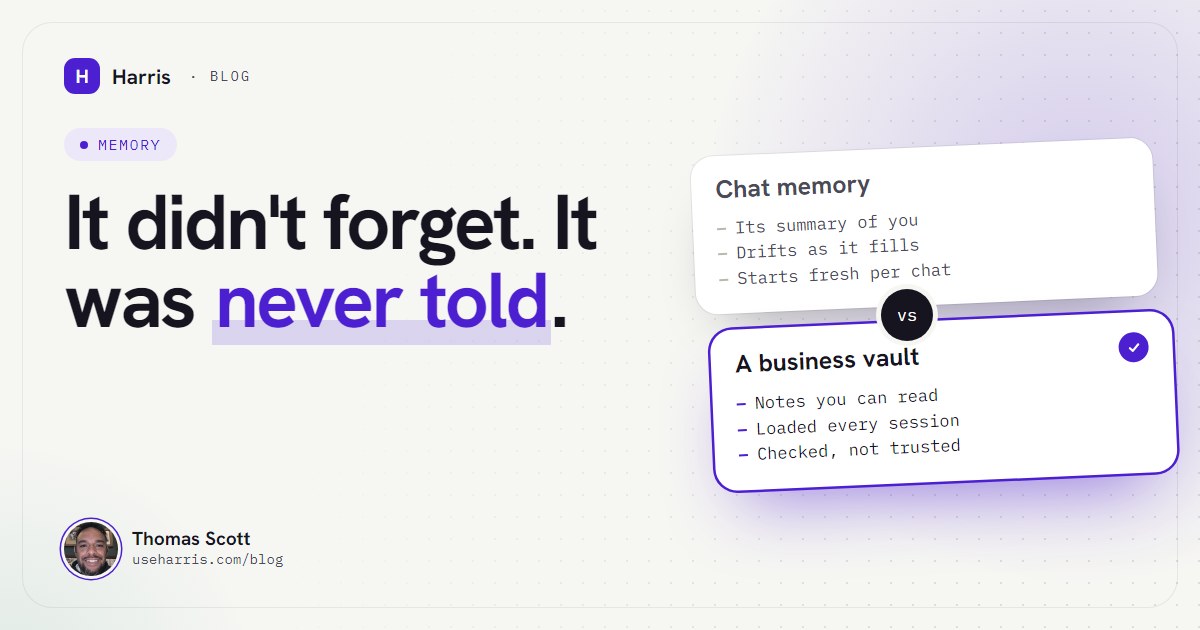
Chat memory
- A summary the model wrote about you
- It decides what's kept and what fades
- Fine for preferences and tone
- Hard to audit, impossible to version
A vault the AI reads
- Plain notes you wrote or approved
- Loaded at the start of every session
- One note per client, project and decision
- Every change dated, recoverable and checkable
The third kind of forgetting is the dangerous one, and it happens even with a good file system: memory that's out of date. In my first week, Harris trusted the previous day's notes about the state of a job, and the notes were wrong because the live system had moved on. It didn't forget. It remembered, confidently, something that was no longer true.
So the rule in my setup isn't "remember more". It's "evidence only": check the live file, inbox or system before claiming anything is current. The notes say where to look. They don't replace looking.
How do I stop Claude forgetting my business?
Move the memory out of the chat and into files the AI reads every session. In outline:
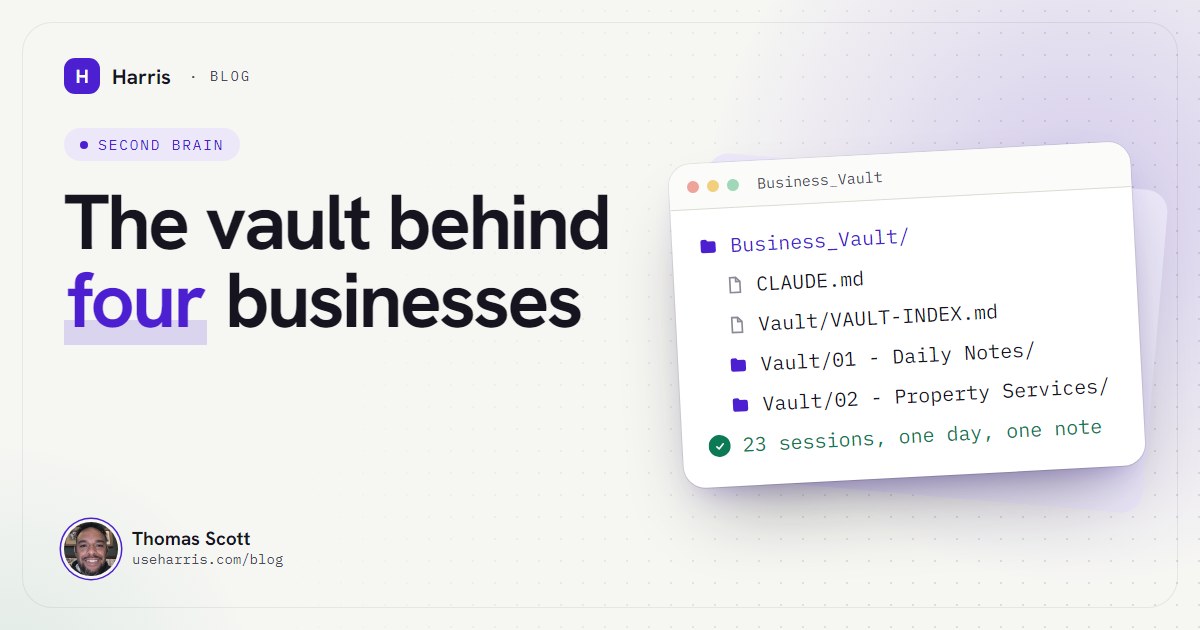
- Keep the business in a folder of plain notes. One note per client or project, a single priorities note for what's open, and a map at the root that says where everything lives.
- Write a short boot file. In Claude Code that's
CLAUDE.md: who the agent is, the three things to read at startup, and the rules. Keep it tight; it loads every time. - Start every session the same way. Read the map, check yesterday's daily note, scan the priorities. Mine opens with "Online. What's the highest-leverage thing on the table today?" once it has.
- Make it write back. Every change goes into the relevant note and that day's daily note before the session ends. If it isn't written down, the next session doesn't know it.
- Make it check, not trust. Dated checks ("no reply, checked 16 Oct 11:40") and a rule to verify live sources before reporting.
That's the whole idea, and the detail is in how to give Claude persistent memory for your business. For the folder structure itself, see Obsidian and Claude Code as a business brain.
What changed when I stopped relying on the chat
The difference isn't that Harris remembers more than a chat window. It's that I can see exactly what it remembers, correct it in seconds, and trust that tomorrow's session will read the correction. I no longer re-explain the business. I no longer wonder what got summarised away. And when it's wrong, it's wrong in a file I can open, which is a problem I know how to fix.
This is also why I describe Harris as an operating partner rather than a chatbot: a chatbot talks, and an operator keeps the files.
Questions people ask
Why does Claude forget what I told it earlier in the chat?
Every conversation has a limited working memory called the context window. As a long chat fills it, older material is cleared or summarised to make room, and detailed instructions from early on can be lost in the summary.
What does "ChatGPT memory full" mean and how do I fix it?
It means ChatGPT's saved memories have reached their capacity. You can delete old ones under Settings, Personalization, Memory, and since October 2025 ChatGPT also manages saved memories automatically to avoid the full state. For a business, keep the important facts in your own files instead.
Is there an AI assistant that remembers everything?
No, and you wouldn't want one that tried. What works is an assistant that reads the right notes at the start of every session and writes changes back, so what it remembers is current and you can check it.
Does Claude have memory like ChatGPT?
Yes. Memory is on by default in the Claude apps on the Free, Pro and Max plans, and you can view and edit what it remembers under Settings, Memory. Each Claude project also keeps its own separate memory.